Introduction:
1.
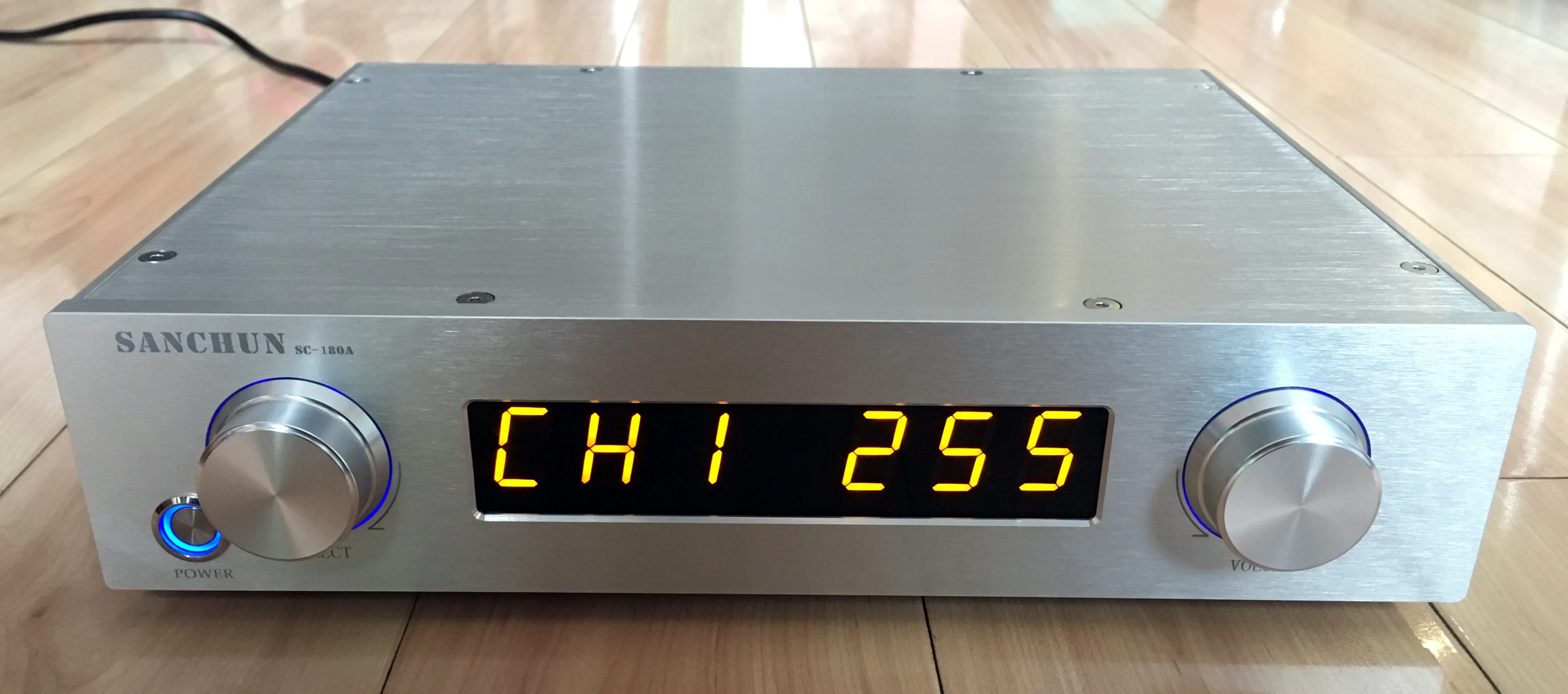
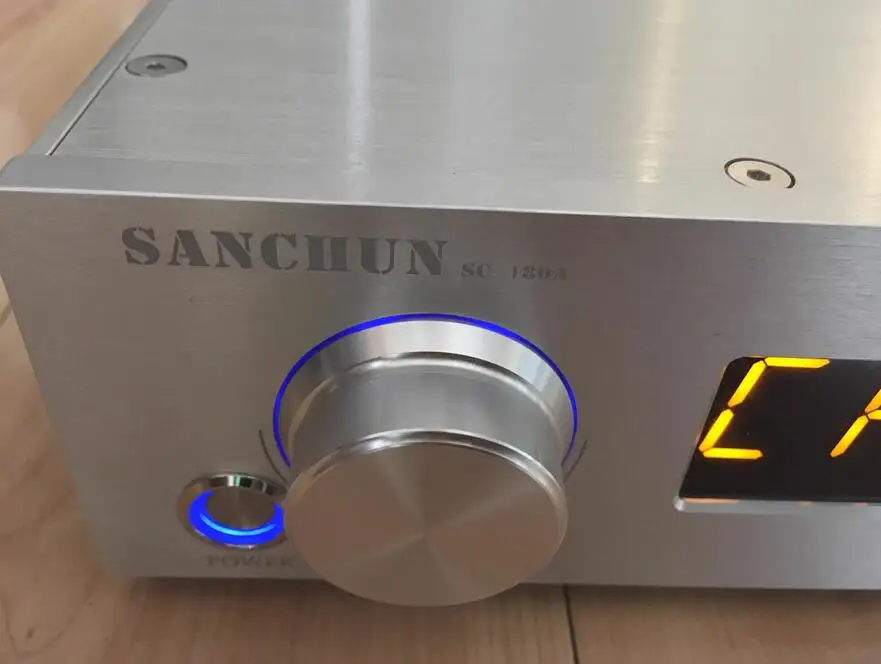
The machine operation part adopts a 360 degree encoding switch, which
has a good touch. The left side of the machine is the input selection
button, and the right side is the volume and function adjustment button.
The volume can be adjusted from 0 to 255 levels. The right hand volume
increases and the left hand volume decreases.
2.
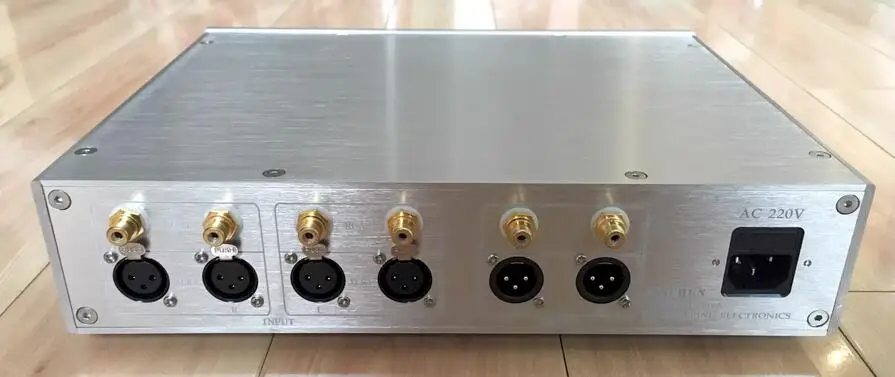
Equipped with four input functions, the machine comes with two RCA
inputs and two XLR inputs, totaling four inputs. It can be selected by
rotating or pressing the SELECT knob on the left side of the panel.
3.
With Nixie tube display function, the display color is orange,
beautiful and generous. The number on the left shows the input switching
status, while the three digits on the right show the volume display,
which is very intuitive and the display brightness can be adjusted by 5
levels.
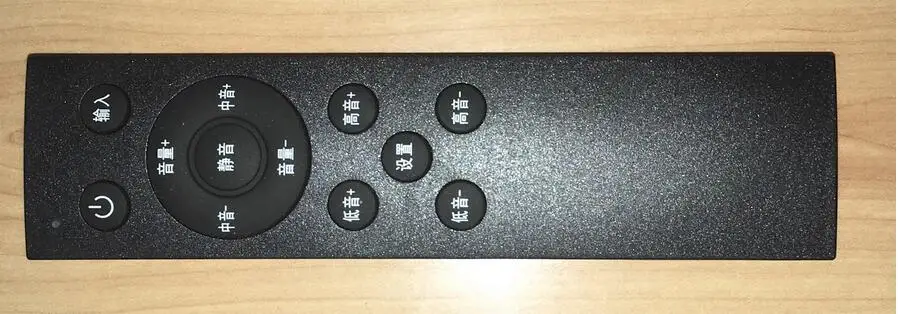
4. With remote
control function, you can remotely control the volume up, down, mute,
power, display brightness, and input switching. Press the remote control
volume button to gradually change the volume. Press and hold the remote
control volume button to continuously and quickly adjust the volume.
5.
A remote control with remote control learning function that allows
users to learn the NEC encoding method in their hands (generally, power
amplifier audio remote controls use NEC encoding method).
6.
Equipped with power on memory function, it will remember the volume,
input, and other working states of the last shutdown when turned on.
7. The output is equipped with a relay mute function, and the audio output is only turned on after a delay when turned on.
8.
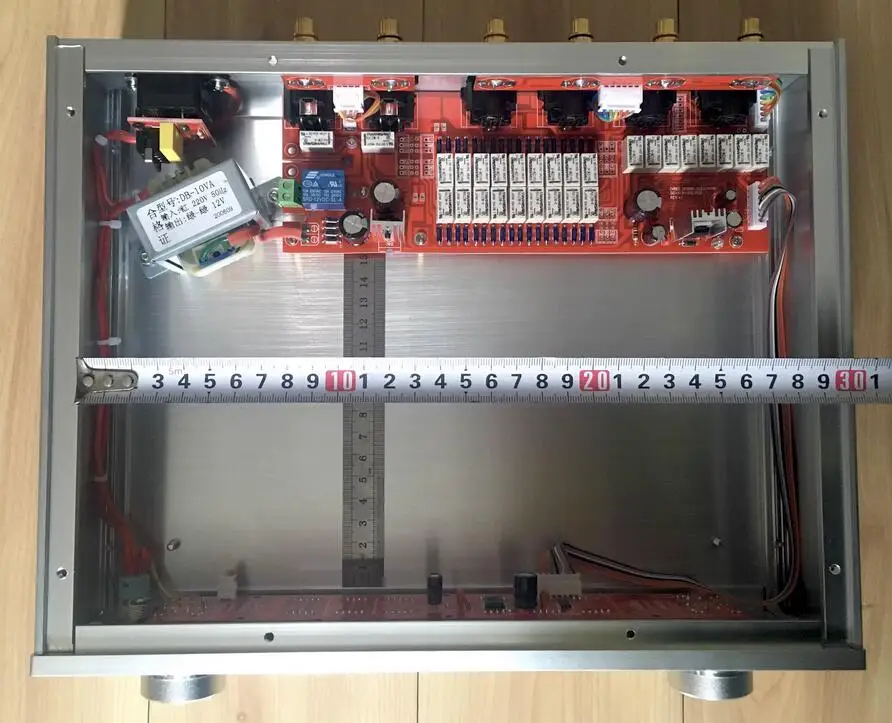
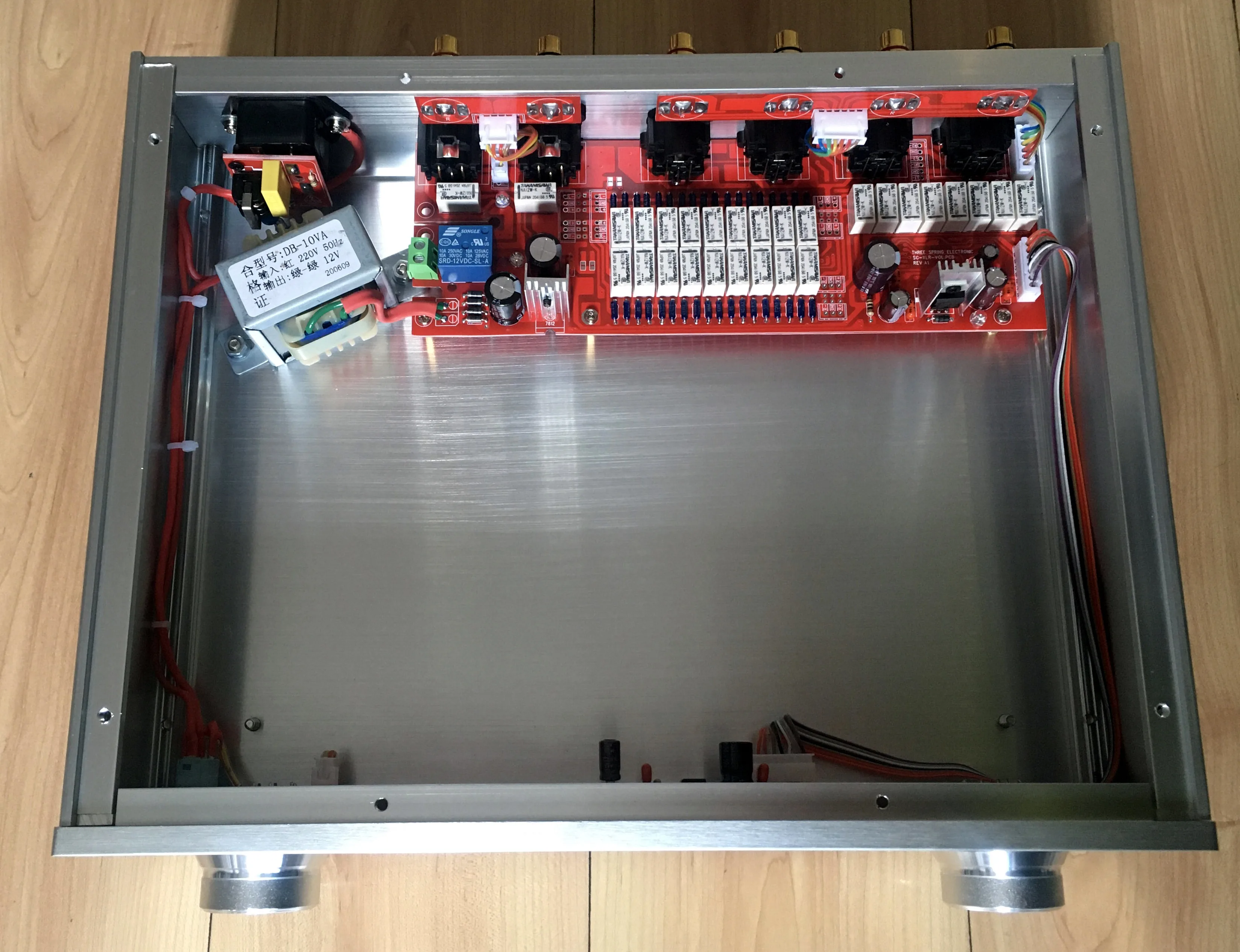
The remaining space inside the machine is sufficient, about 29CM *
15CM, so that the burner can upgrade and install other front stage or
small power amplifier boards and other circuit boards inside DIY. After
upgrading, it will become a beautiful front stage or small power
amplifier! The chassis is made of all aluminum. If a small power
amplifier board is installed, the power tube can be installed directly
on the machine chassis without a heat sink, and the heat dissipation is
also good. If you are interested in renovation, you can contact the
store to provide guidance on renovation.
9.
The machine is equipped with a relay control switch. If other circuits
are installed inside the machine, it is convenient to control the power
supply of other circuit boards for easy operation and use.
10. Backlight rendering function with knob, and this function can be turned on or off according to preference.
11.
Equipped with a separate adjustment function for 4-way input volume,
the volume amplitude of the 4-way input can be adjusted separately. For
example, when input 1 is connected to a standard audio source such as a
CD, it can be adjusted to 20. When input 2 is connected to a small audio
source such as a mobile phone or radio receiver, it can be adjusted to
50. When input 3 or 4, it can also be adjusted to different volume
values to achieve that the speaker's volume is basically the same for
each input, making it convenient to use. Of course, the machine can also
be set with overall volume control. When adjusting the volume, the
volume of the four inputs changes simultaneously.
12.
With the startup volume limit function, after setting the maximum
volume on the power, the next time the power is turned on, if the volume
at the last shutdown exceeds the set maximum volume, the volume will
automatically decrease to the set volume value. If the volume at the
last shutdown is less than the set maximum volume value, the machine
will remember the volume at the last shutdown.
13. Using accurate software algorithms, the switching between different levels is very smooth without any noise.
14.
Machine size: The main body of the chassis is 320MM wide, 248MM deep,
and 70MM high. The measured dimensions do not include knobs, RCA seats,
and machine feet.
15. The chassis is made of all aluminum alloy, with solid materials and a net weight of about 3 kilograms.
package include:
finished volume control machine *1
remote control *1
The
operation method is as follows: (If you need to know the detailed
operation method, please ask the shop owner to provide the electronic
manual of the machine)
1.
Rotate the VOLUME knob on the right side of the machine to adjust the
volume. The three digit Nixie tube on the right side of the display
screen displays the volume value accordingly.
2.
Press or rotate the SELECT knob on the left side of the machine to
switch the four way input of the machine, and the three digit Nixie tube
on the left side of the display screen is in corresponding input
status.
3. Press the
VOLUME knob to output mute, and the volume display will flash
continuously. Repeat the operation again or rotate the encoding switch
left and right or press the volume button on the remote control to
cancel the mute and restore the volume.
4.
Long press and hold the VOLUME knob, let go when the volume number
shows L (brightness light code), and then rotate the VOLUME knob left
and right to adjust the display brightness, which can be adjusted in 1-5
levels.
5. Press and hold the SELECT knob, and release it when the knob backlight is on to control the knob backlight.
6. The above functions can be achieved through remote control operation.
7.
Long press and hold the VOLUME knob. When the U-word is displayed, let
go to switch between U-4 or U-A. When U-4 is displayed, it is segmented
volume control; At U-A, it is the total volume control.
8.
Long press and hold the VOLUME knob. When the word A3.0.0 is displayed,
let go, and then rotate the encoding switch left and right to adjust
the corresponding limit number. This will set the startup volume limit
value. After adjustment, it will be automatically stored and returned
after a few seconds.
9.
Long press and hold the VOLUME knob, and when it displays 888 888, let
go. This is the remote control learning state. At this time, rotate the
VOLUME knob, and when it displays IN (input), VoL+(volume up), VoL -
(volume down), and po (power), press the corresponding button of the
remote control to learn. After learning, click the VOLUME knob to save
and exit. When in the learning state, if the VOLUME knob is turned until
the display screen shows CLEAR (CLEAR), pressing the VOLUME knob will
clear the learned data and exit.
10.
Long press and hold the VOLUME knob, and let go when the volume number
is displayed as i r. You can switch between i r1, i r2, and i r3 to turn
off the random remote control function.


